The SteelSeries Arctis Nova Pro Wireless is designed for players who move between Xbox, PC, PlayStation, Switch, Mac, and mobile audio.
This steelseries arctis nova pro wireless xbox review looks at its multi-system connections, active noise cancellation, dual-battery design, and the tradeoffs of choosing a feature-rich gaming headset.
Arctis Nova Pro Review Summary
The quick verdict
3,000+ ratings
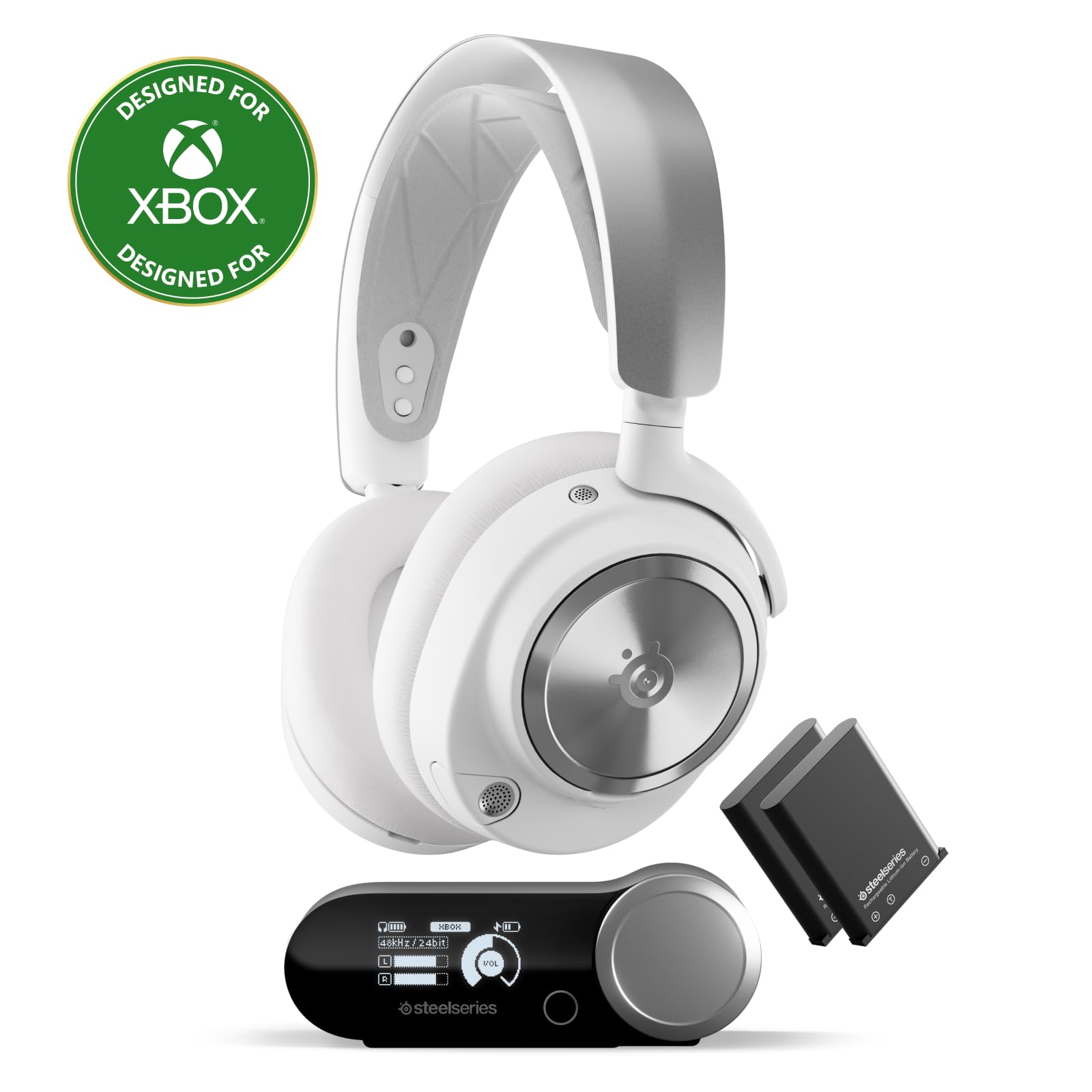
Read Amazon ReviewsSteelSeries Arctis Nova Pro Wireless
A feature-rich wireless headset for Xbox players who also game across PC and other systems and want active noise cancellation and swappable batteries.
- Connects two systems at once, with toggling among Xbox, PC, PlayStation, Switch, or Mac.
- Active noise cancellation is designed to reduce distracting surrounding sound; Transparency Mode lets environmental sound through.
- Neodymium magnetic drivers are described as delivering clear highs, pinpoint mids, and deep bass.
- Compatible with Tempest 3D Audio for PS5 and Microsoft Spatial Sound 2.

Pros
- Two-system connection and switching suit a desk shared between Xbox and another supported platform.
- Swappable batteries offer a practical way to continue a session while changing power packs.
Consider before buying
- Its many system and audio features are most useful to players with a multi-device setup; single-platform users may not benefit from all of them.
- The dual-battery arrangement depends on keeping the spare charged in the base station between swaps.
Read the full review summary
The Arctis Nova Pro Wireless combines gaming-focused sound features with a setup meant to handle more than one system.
Its ability to connect two systems at once and toggle between them is useful for players who share a desk between Xbox and a computer or another supported console, while simultaneous Bluetooth can bring calls or music into the mix.
Its strongest appeal is convenience during long sessions: two hot-swappable batteries are included, with the spare charging in the base station, so a depleted battery does not have to end a session.
Active noise cancellation, Transparency Mode, onboard audio profiles, and spatial-audio compatibility add flexibility, though buyers should weigh these specialized features against their own gaming setup and budget.
The buying factors
Arctis Nova Pro Scorecard
Editorial scores reflect listed features and buyer fit; they are not laboratory measurements or customer ratings.
Multi-system flexibility
Connects two systems at once and supports toggling among Xbox, PC, PlayStation, Switch, and Mac.
Battery continuity
Two hot-swappable batteries and a charging base are designed to keep a spare ready.
Noise control
Active noise cancellation is paired with Transparency Mode when you want to hear around you.
Gaming audio features
Neodymium magnetic drivers, onboard profiles, and compatibility with named spatial-audio systems target immersive play.
Mobile audio mixing
Simultaneous Bluetooth can mix mobile calls or music with game audio.
Setup simplicity
The range of connection and audio options is versatile, but buyers should be comfortable managing a multi-system setup.
Key Features and Specifications of Arctis Nova Pro
- Connects two systems at once, with toggling among Xbox, PC, PlayStation, Switch, or Mac.
- Active noise cancellation is designed to reduce distracting surrounding sound; Transparency Mode lets environmental sound through.
- Neodymium magnetic drivers are described as delivering clear highs, pinpoint mids, and deep bass.
- Compatible with Tempest 3D Audio for PS5 and Microsoft Spatial Sound 2.
- Two hot-swappable batteries are included, with the spare charging in the base station.
- Simultaneous Bluetooth connection supports mixing mobile calls or music with game audio.
- Onboard audio profiles provide quick access to game-focused settings, including profiles for Call of Duty, Fortnite, and Apex Legends.
Pros and Cons of Arctis Nova Pro
Pros
- Two-system connection and switching suit a desk shared between Xbox and another supported platform.
- Swappable batteries offer a practical way to continue a session while changing power packs.
- Active noise cancellation and Transparency Mode serve different listening situations.
- Bluetooth mixing lets mobile audio accompany game sound.
- Onboard profiles make game-specific audio adjustments readily accessible.
Consider before buying
- Its many system and audio features are most useful to players with a multi-device setup; single-platform users may not benefit from all of them.
- The dual-battery arrangement depends on keeping the spare charged in the base station between swaps.
- Players who need to remain aware of their surroundings will need to use Transparency Mode instead of noise cancellation.
Who Should Buy Arctis Nova Pro?
Good fit
Consider the Arctis Nova Pro Wireless if you regularly switch between Xbox and another gaming system and want those sources available through one headset setup.
Its two-system connection is the central convenience, while simultaneous Bluetooth can add phone calls or music without requiring you to give up game audio.
It also suits players who spend long stretches gaming and value replaceable power during a session.
Keeping the spare battery in the charging base gives the design a clear routine: swap when needed, then return the depleted pack to charge.
The audio options add value for buyers who will use them.
Noise cancellation can help create a more focused listening environment, Transparency Mode offers an alternative when you need to hear around you, and onboard profiles make adjustments for supported games easier to reach.
Who should skip it
Look elsewhere if you only need a straightforward headset for one system and would not use multi-system switching, mobile audio mixing, or swappable batteries. In that case, the feature set may be more elaborate than your routine requires.
Skip it if your priority is a simple listening headset rather than gaming-focused controls and audio features, or if you prefer not to keep a spare battery charging in a base station.
How the Arctis Nova Pro Fits a Multi-System Gaming Setup
Switching between gaming systems
Connecting two systems at once is useful when Xbox is not the only device at a gaming desk.
The ability to toggle among Xbox, PC, PlayStation, Switch, and Mac points toward a setup where players want to move between platforms without treating each session as a separate headset arrangement.
Before buying, consider which two systems you would keep connected and how often you would switch.
Battery swaps as part of a long session
The two-battery arrangement shifts charging out of the middle of a session: one pack can power the headset while the other charges in the base station.
That is a practical fit for extended play, provided the spare goes back to the base after a swap. Buyers should decide whether this charging routine is more convenient for them than simply pausing to charge a headset.
Choosing when to block or hear surroundings
Active noise cancellation and Transparency Mode address different environments. Cancellation is intended to reduce distractions, while transparency gives surrounding sound a route back into the listening experience.
Players who move between focused gaming and situations where awareness matters can switch modes to match the moment.
Game sound and mobile audio together
Onboard audio profiles are aimed at quick adjustments for named games, while simultaneous Bluetooth makes a phone another part of the listening setup.
These features may be especially useful to players who want game audio and a call or music together. Spatial-audio compatibility adds another format option, though the experience will depend on the connected system and content.
Alternatives to Arctis Nova Pro
Battery-focused alternative
9,000+ ratings
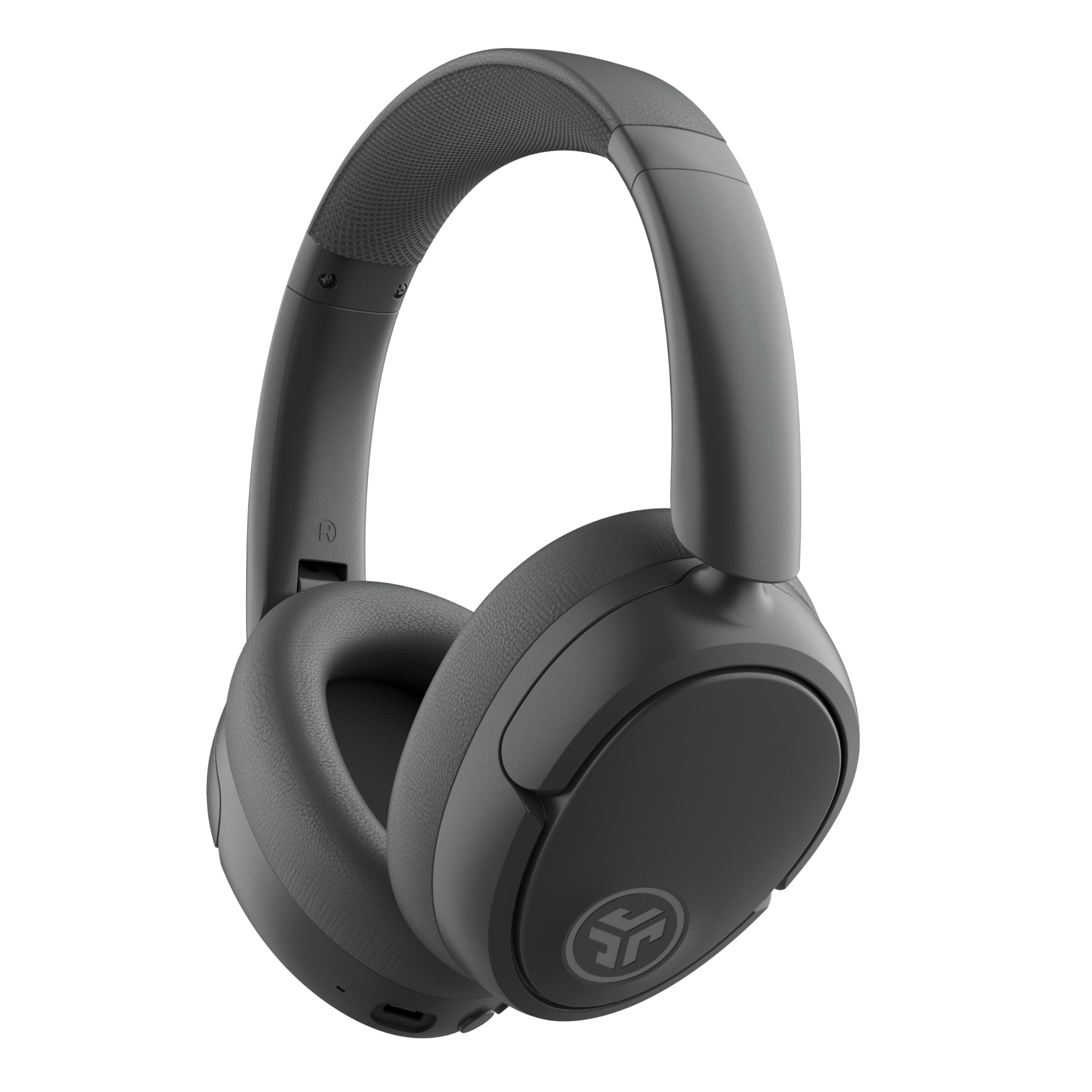
Read Amazon ReviewsJLab JBuds Lux ANC
Choose the Arctis Nova Pro Wireless when Xbox and other gaming systems, swappable batteries, and game-specific audio options are central.
Consider the JBuds Lux ANC if your priority is everyday Bluetooth listening across a phone and computer, with long stated battery life and app controls.
- The JBuds Lux ANC lists 70-plus hours of total playtime, hybrid ANC with up to 35 dB of noise reduction, two-device Bluetooth multipoint, an app for sound and control settings, and compatibility with iOS, Android, and PC.
- The Arctis Nova Pro Wireless emphasizes multi-system gaming, two hot-swappable batteries, and game-focused onboard profiles.
Battery-focused alternative
500+ ratings
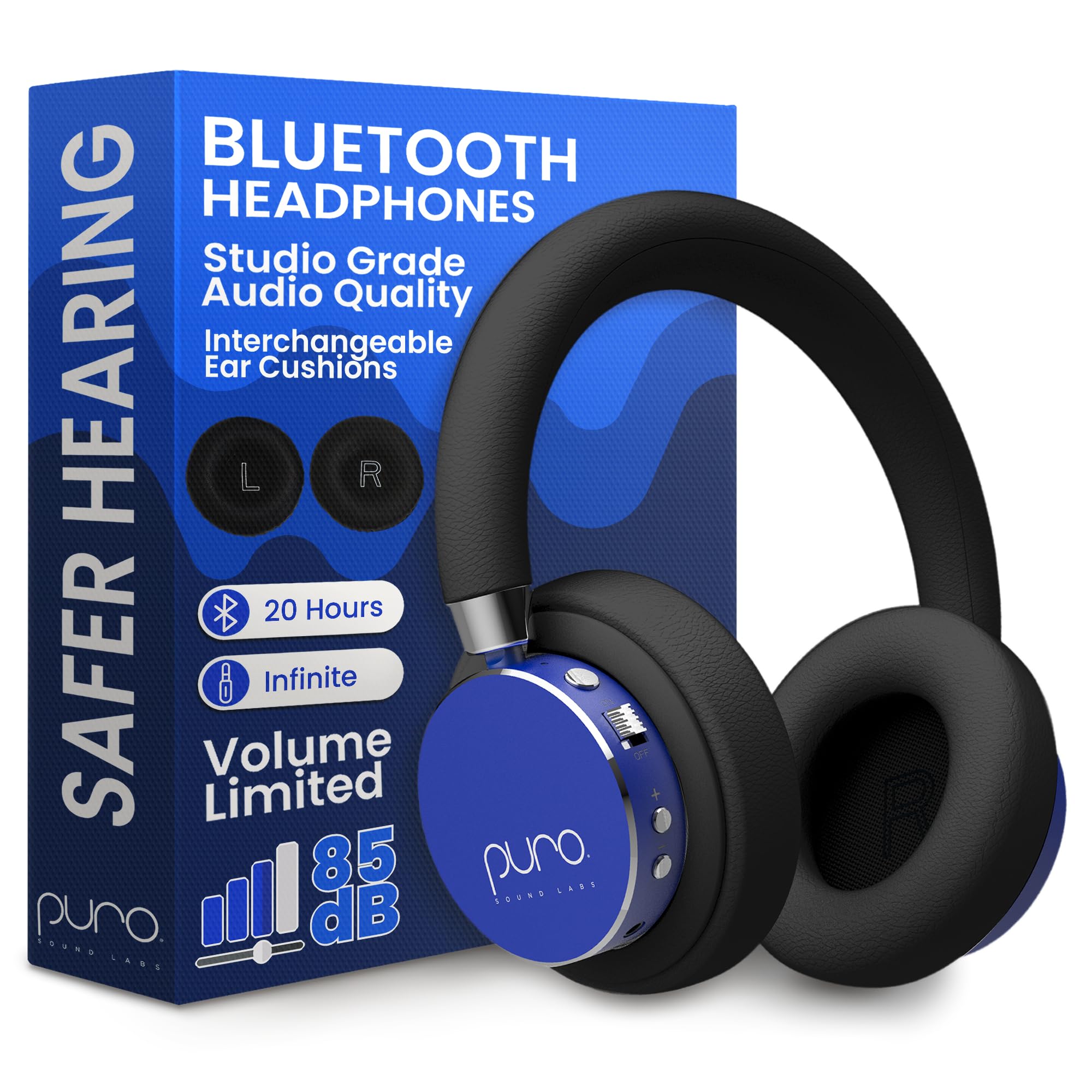
Read Amazon ReviewsPuro Sound Labs BT2200 Plus
For an adult multi-system gaming setup, the Arctis Nova Pro Wireless is the more directly aligned design.
The BT2200 Plus is a more relevant choice when shopping for a child and volume limiting is a priority, rather than for the main headset features in this review.
- The BT2200 Plus is a kids' headset with volume-limiting technology, up to 20 hours of Bluetooth playtime, a 3.5 mm jack, and a protective case.
- The Arctis Nova Pro Wireless is built around multi-system gaming audio, active noise cancellation, and batteries that can be swapped during play.
Is Arctis Nova Pro Worth It?
The SteelSeries Arctis Nova Pro Wireless is worth considering for Xbox players who also use other supported systems and want switching, noise-control modes, mobile audio mixing, and a spare battery ready to swap.
Those features give it a strong fit for a multi-device gaming routine.
Its appeal is narrower if you only need basic audio on one system. Choose it when you expect to use the gaming and battery conveniences; otherwise, a simpler headset may suit your setup better.
Your review at a glance
3,000+ ratings
Read Amazon ReviewsSteelSeries Arctis Nova Pro Wireless
A feature-rich wireless headset for Xbox players who also game across PC and other systems and want active noise cancellation and swappable batteries.
- Connects two systems at once, with toggling among Xbox, PC, PlayStation, Switch, or Mac.
- Active noise cancellation is designed to reduce distracting surrounding sound; Transparency Mode lets environmental sound through.
- Neodymium magnetic drivers are described as delivering clear highs, pinpoint mids, and deep bass.
- Compatible with Tempest 3D Audio for PS5 and Microsoft Spatial Sound 2.