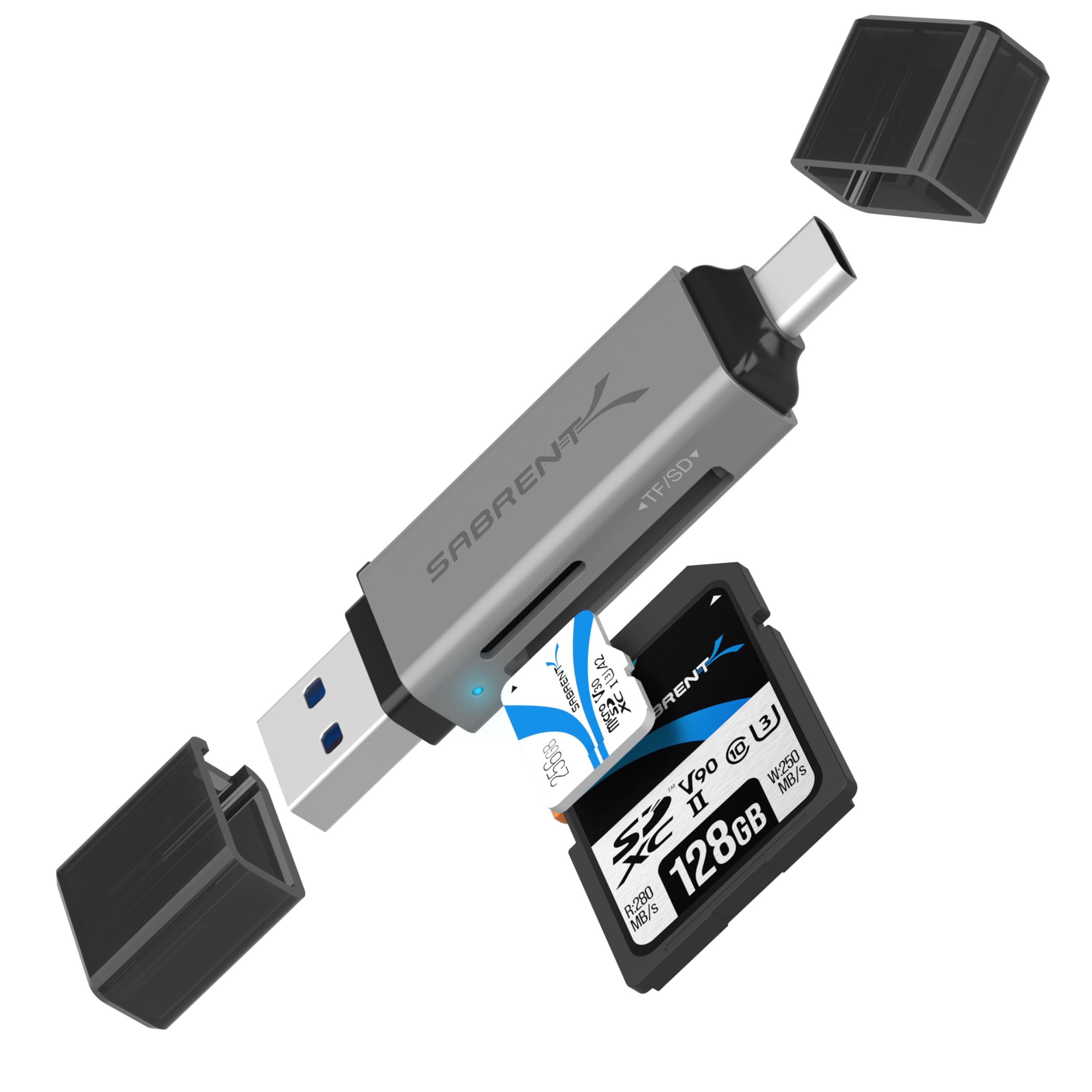
The SABRENT USB-C & USB-A SD/Micro SD Card Reader is designed for moving files from common camera and device cards to computers and compatible Android devices.
This review considers whether its dual connector and dual card slots suit a mixed-device workflow.
SABRENT Card Reader Review Summary
The quick verdict
2,000+ ratings
Read Amazon ReviewsSABRENT USB-C & USB-A SD/Micro SD Card Reader
A compact card reader for people moving SD or microSD files between USB-C and USB-A devices.
- USB-C and USB-A connectors support use with devices that have either port type.
- Two slots read SD and microSD cards, including SDHC, SDXC, microSDHC, and microSDXC formats.
- USB 3.0 interface supports transfer speeds up to 5Gbps and works with USB 2.0 hosts.
- Plug-and-play design needs no driver or software installation.

Pros
- Two host connector types make it useful across newer and older computers.
- Separate SD and microSD slots cover formats common in cameras and everyday devices.
Consider before buying
- Android compatibility is limited to supported devices, so check your specific model and port before relying on it.
- The 5Gbps figure is an interface maximum; actual transfers depend on the host, card, and files involved.
Read the full review summary
This reader combines USB-C and USB-A connectivity with separate SD and microSD slots, making it a practical choice when you work across newer and older devices.
Its USB 3.0 interface supports transfers up to 5Gbps, and it can also connect to USB 2.0 hosts. That maximum is an interface capability rather than a guarantee of a particular card’s transfer speed.
The plug-and-play design, broad card format support, and small carry-friendly form make it suitable for everyday file access without adding a driver installation step. It is most compelling for users who want one reader for both connector types.
Before buying, check that the device and operating system you plan to use are among the supported combinations.
The buying factors
SABRENT Card Reader Scorecard
Editorial scores reflect listed features and buyer fit; they are not laboratory measurements or customer ratings.
Connector flexibility
Built-in USB-C and USB-A connections cover two common host port types.
Card format coverage
Supports SD and microSD formats across SDHC, SDXC, microSDHC, and microSDXC.
Transfer interface
USB 3.0 supports speeds up to 5Gbps, with USB 2.0 backward compatibility.
Setup simplicity
Plug-and-play operation requires no drivers or software.
Device compatibility
Windows, macOS, and compatible Android devices are covered; Android support is conditional.
Portability
Its lightweight, compact design is intended to fit in a pocket, laptop bag, or camera case.
Key Features and Specifications of SABRENT Card Reader
- USB-C and USB-A connectors support use with devices that have either port type.
- Two slots read SD and microSD cards, including SDHC, SDXC, microSDHC, and microSDXC formats.
- USB 3.0 interface supports transfer speeds up to 5Gbps and works with USB 2.0 hosts.
- Plug-and-play design needs no driver or software installation.
- Compatible with Windows, macOS, and supported Android devices.
- Lightweight compact body includes an LED activity indicator.
Pros and Cons of SABRENT Card Reader
Pros
- Two host connector types make it useful across newer and older computers.
- Separate SD and microSD slots cover formats common in cameras and everyday devices.
- No driver installation keeps routine file access straightforward.
- Compact build and activity light are practical for carrying and monitoring use.
Consider before buying
- Android compatibility is limited to supported devices, so check your specific model and port before relying on it.
- The 5Gbps figure is an interface maximum; actual transfers depend on the host, card, and files involved.
- USB 2.0 hosts remain compatible, but the interface will not provide the USB 3.0 maximum on those connections.
Who Should Buy SABRENT Card Reader?
Good fit
Consider this reader if you regularly move photos, video, or other files from SD and microSD cards and switch between USB-C and USB-A devices.
Having both connectors in one compact reader can reduce the need to keep separate adapters for different computers.
It also makes sense for someone who values a simple setup. The plug-and-play design avoids a driver step, while the card format coverage suits common SD and microSD media.
If you plan to use it with Android, confirm that your device is compatible before purchase.
Who should skip it
Look elsewhere if your workflow depends on a specific card type or device compatibility that is not listed here; confirm that the reader supports the exact combination you need before choosing.
It may not be the right fit if your host only has USB 2.0 and you are choosing primarily for the USB 3.0 maximum. USB 2.0 support provides compatibility, but the connection itself will constrain the interface speed.
How the SABRENT Card Reader fits a mixed-device workflow
One reader for two host connections
USB-C and USB-A connectors address a common inconvenience: a reader suited to one computer may not plug into another.
This design offers both connection types in a single compact unit, which can help when files move between newer laptops and devices with traditional USB-A ports.
Buyers should still check the physical port and operating system on each intended host.
Card formats for everyday media
Separate SD and microSD slots cover the card families commonly used across cameras and other devices, including the SDHC and SDXC variations. That makes the reader useful for transferring card contents without relying on a device’s own connection.
If your media uses an unusual or specialized format, confirm compatibility before purchase rather than assuming that the listed families cover it.
Speed depends on the full connection
The USB 3.0 interface supports up to 5Gbps, and USB 2.0 hosts are also supported. The maximum describes the interface, not a guaranteed file-copy result: the host port, card, and workload all affect actual transfer time.
This makes the reader a sensible general-purpose option, while buyers with speed-sensitive workflows should consider their entire device chain.
Simple setup and portable use
Plug-and-play operation removes a driver installation step on the listed operating systems, and the lightweight body is intended for carrying in a pocket, camera case, or laptop bag. An LED activity indicator offers a visible cue during use.
These features suit occasional transfers away from a desk as well as routine access at home or work.
Alternatives to SABRENT Card Reader
One useful alternative is included because it offers a distinct compatibility profile for card formats and operating systems.
Computer Memory Card Readers alternative
10,000+ ratings
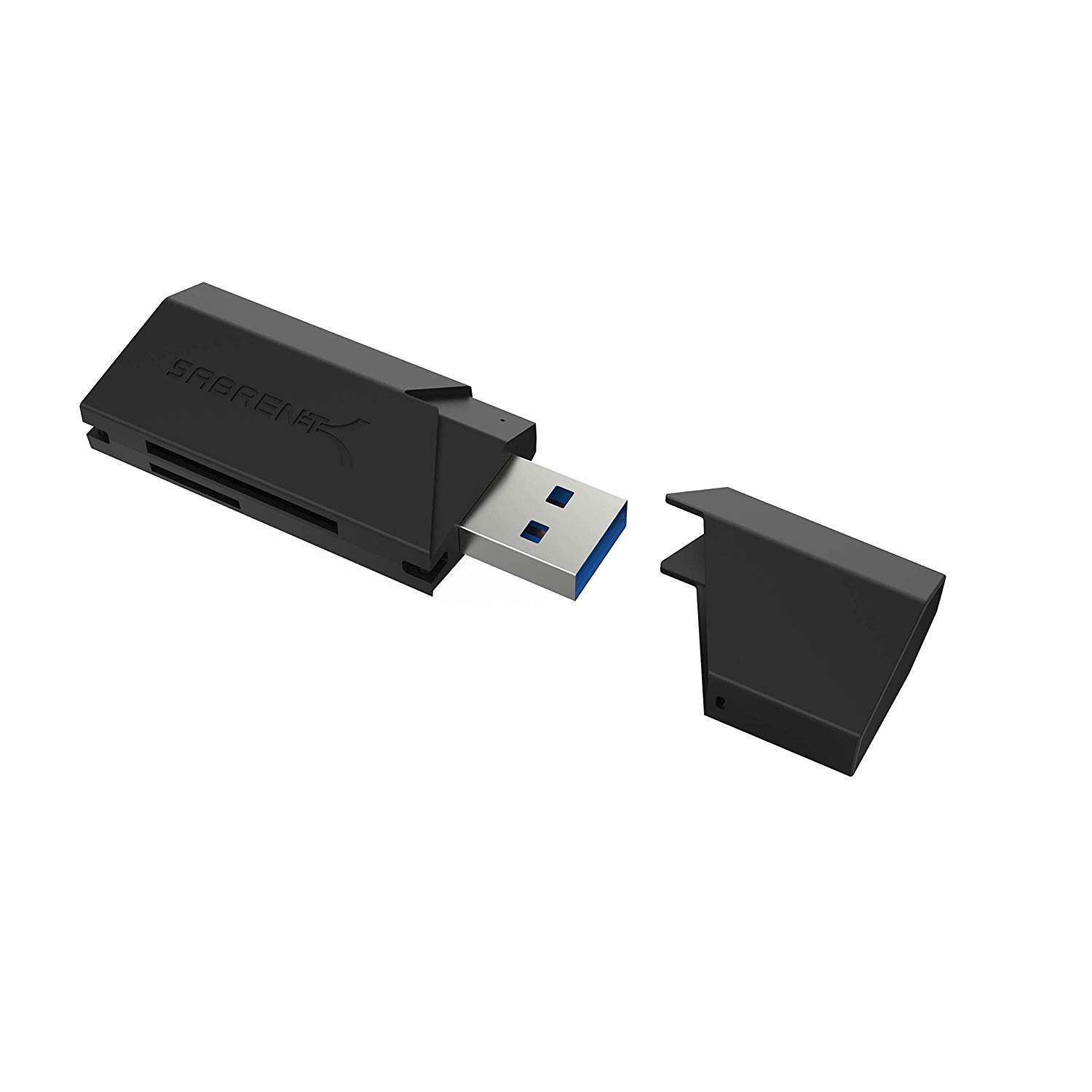
Read Amazon ReviewsSABRENT SuperSpeed 2 Slot USB 3.0 Flash Memory Card Reader (CR-UMSS)
Choose the reviewed model if having both USB-C and USB-A connectors is central to your setup.
Consider the CR-UMSS if its listed MMC and T-Flash support or Linux compatibility better matches your devices, and verify the exact host connection you need before deciding.
- This two-slot USB 3.0 reader supports SD, SDHC, SDXC, MMC, microSD, and T-Flash formats, works with USB 2.0 hosts, and requires no installation.
- Its supported systems include Windows, Mac, Linux, and certain Android systems.
- The reviewed reader combines USB-C and USB-A connectors with SD and microSD slots, and lists support for Windows, macOS, and compatible Android devices.
Is SABRENT Card Reader Worth It?
The SABRENT USB-C & USB-A SD/Micro SD Card Reader is worth considering for straightforward transfers across devices with different USB ports.
Its dual connectors, common SD and microSD format support, plug-and-play setup, and compact form make it a flexible everyday reader.
Check Android compatibility for your particular device and remember that the 5Gbps figure is an interface maximum, not a guaranteed transfer rate.
If those conditions suit your workflow, this reader offers a useful blend of connector convenience and card support.
Your review at a glance
2,000+ ratings
Read Amazon ReviewsSABRENT USB-C & USB-A SD/Micro SD Card Reader
A compact card reader for people moving SD or microSD files between USB-C and USB-A devices.
- USB-C and USB-A connectors support use with devices that have either port type.
- Two slots read SD and microSD cards, including SDHC, SDXC, microSDHC, and microSDXC formats.
- USB 3.0 interface supports transfer speeds up to 5Gbps and works with USB 2.0 hosts.
- Plug-and-play design needs no driver or software installation.