The Phomemo M120 Label Maker review is for shoppers who need a portable way to create small labels for home organization, crafting, or business tasks.
Its thermal printing, adjustable label slot, and app-based design tools make it a flexible option for users who want both phone and computer workflows.
Phomemo M120 Review Summary
The quick verdict
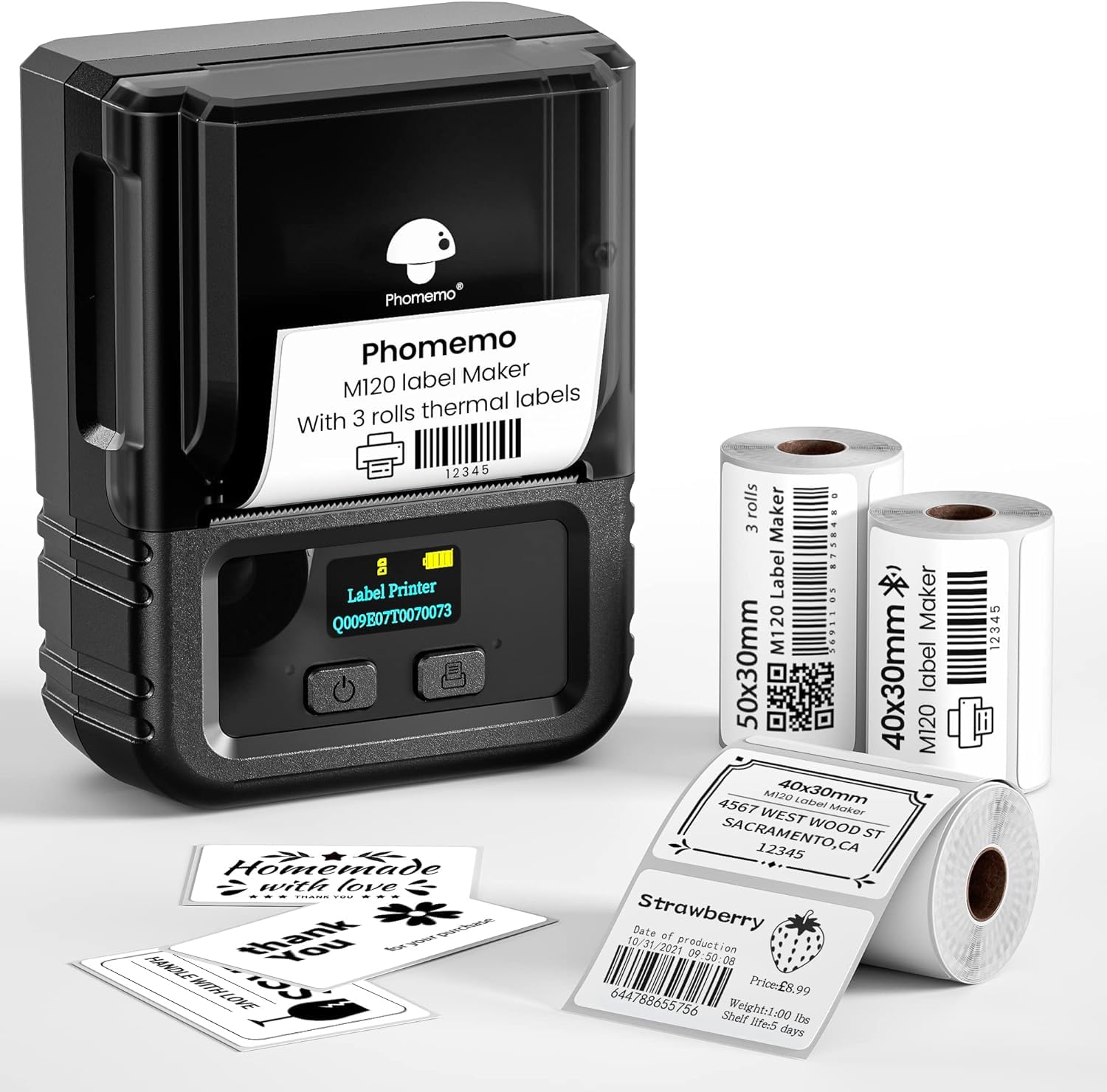
1,000+ ratings
Read Amazon ReviewsPhomemo M120
A versatile compact label printer for home organizers, makers, and small businesses that want phone or computer printing and adjustable label widths.
- Portable design: weighs 200 g and is described as suitable for carrying in a pocket or backpack.
- Rechargeable printing: the supplied description gives a maximum of 3,000 labels per charge; actual use can vary by task.
- Thermal output: prints without ink or toner, with adjustable print density and speed.
- Adjustable label support: accommodates widths from 20 to 50 mm and includes a built-in sizing guide.

Pros
- Lightweight body makes it practical to move around a home, studio, or small work area.
- A 20–50 mm width range handles a variety of compact labeling needs.
Consider before buying
- The 20–50 mm label-width range is aimed at small labels, so buyers who need standard 4 × 6 shipping labels should choose a printer designed for that format.
- PC printing requires USB and Labelife software, while mobile printing uses Bluetooth and Print Master; buyers should be comfortable with separate setup paths.
Read the full review summary
The M120 combines a compact, 200-gram design with support for label widths from 20 to 50 mm. It prints text, barcodes, QR codes, and other designs using thermal technology, so routine printing does not require ink or toner.
Two included 40 × 30 mm rolls and one 50 × 30 mm roll give new owners a few sizes to try.
Its strongest appeal is the combination of phone-friendly Bluetooth printing and USB-connected PC use.
The Print Master app offers recognition tools and a broad library of templates and design elements, while the adjustable slot and sizing guide are intended to make changing label sizes easier.
It suits people who want one small printer for recurring household or small-business labels; shoppers focused on 4 × 6 shipping labels should look at a different printer format.
The buying factors
Phomemo M120 Scorecard
Editorial scores reflect listed features and buyer fit; they are not laboratory measurements or customer ratings.
Portability
At 200 g, the M120 is designed to be easy to carry between work areas or pack for mobile labeling.
Label-size flexibility
The adjustable slot supports widths from 20 to 50 mm, covering a useful range of compact label tasks.
App design tools
The app includes OCR and voice recognition alongside extensive templates, symbols, fonts, and language options.
Device compatibility
Bluetooth supports mobile printing on iOS and Android, while USB and Labelife software provide a PC route.
Everyday convenience
Thermal printing removes the need for ink or toner, and the auto-sleep mode is intended to conserve power.
Task fit
It supports varied small-format labels but is not presented as a large-format shipping label printer.
Key Features and Specifications of Phomemo M120
- Portable design: weighs 200 g and is described as suitable for carrying in a pocket or backpack.
- Rechargeable printing: the supplied description gives a maximum of 3,000 labels per charge; actual use can vary by task.
- Thermal output: prints without ink or toner, with adjustable print density and speed.
- Adjustable label support: accommodates widths from 20 to 50 mm and includes a built-in sizing guide.
- Included rolls: two 40 × 30 mm thermal label rolls and one 50 × 30 mm roll.
- App tools: Print Master includes OCR and voice recognition, plus more than 7,900 symbols, 1,900 templates, and 550 fonts across 20-plus languages.
- Connection options: Bluetooth printing from iOS and Android devices; USB connection to a PC using Labelife software.
Pros and Cons of Phomemo M120
Pros
- Lightweight body makes it practical to move around a home, studio, or small work area.
- A 20–50 mm width range handles a variety of compact labeling needs.
- App tools support barcodes, QR codes, text conversion, and custom layouts.
- Mobile Bluetooth and PC USB workflows offer more flexibility than a phone-only setup.
- Thermal printing avoids ink and toner replenishment.
Consider before buying
- The 20–50 mm label-width range is aimed at small labels, so buyers who need standard 4 × 6 shipping labels should choose a printer designed for that format.
- PC printing requires USB and Labelife software, while mobile printing uses Bluetooth and Print Master; buyers should be comfortable with separate setup paths.
- Designing and printing depends on an app or computer software, which may be less appealing to someone seeking a fully self-contained printer.
Who Should Buy Phomemo M120?
Good fit
Consider the M120 if you regularly label storage containers, jars, products, addresses, or small items and want the option to create designs from a phone.
Its compact size and adjustable slot make it well suited to work that shifts between label widths rather than relying on one fixed format.
It is also a good fit for a small business or craft workflow that benefits from barcodes, QR codes, and repeatable layouts.
The Print Master library may reduce the effort involved in building common designs, while OCR and voice recognition can help turn source text into editable label content.
For mixed-device use, the M120 offers a clear division: Bluetooth through the mobile app, or USB through Labelife on a PC.
Check that this setup matches the devices you plan to use and that the supported width range fits your labels before choosing it.
Who should skip it
Skip this format if your main job is printing full-size 4 × 6 shipping labels; the M120 is designed for narrower labels up to 50 mm wide.
If you need a printer that works without app or computer software, this model’s documented mobile and PC workflows may not match your preference.
What the Phomemo M120 Means for Everyday Labeling
A compact format for small labels
The 20–50 mm width range puts the M120 in the small-label category.
That gives it room for varied uses such as addresses, jars, storage tags, and product labels, while setting a clear boundary for buyers whose workflow depends on wider parcel labels.
Consider the physical dimensions and information you need on each label when deciding whether this width range is enough.
App tools can speed up repeat designs
A large template and symbol library is useful when labels need more than plain text. Barcodes, QR codes, and OCR or voice input can support different design tasks, and templates can help make repeated labels consistent.
The practical benefit depends on whether the included app tools fit the designs you use; buyers with an established layout workflow should check the software setup before committing.
Phone and PC paths cover different routines
Bluetooth printing from iOS or Android supports a mobile workflow, while USB and Labelife software provide a computer option.
This can suit a user who designs on a PC at a desk but also wants to print from a phone elsewhere.
The two methods use different connection and software steps, so decide which device will handle most of your printing.
Thermal printing keeps supplies simple
The M120 uses thermal printing and does not require ink or toner. That simplifies the printer’s supply routine, though it still depends on compatible thermal labels.
The description recommends Phomemo thermal labels for best performance, so buyers should consider label availability and the sizes they expect to use.
Alternatives to Phomemo M120
Desktop Label Printers alternative
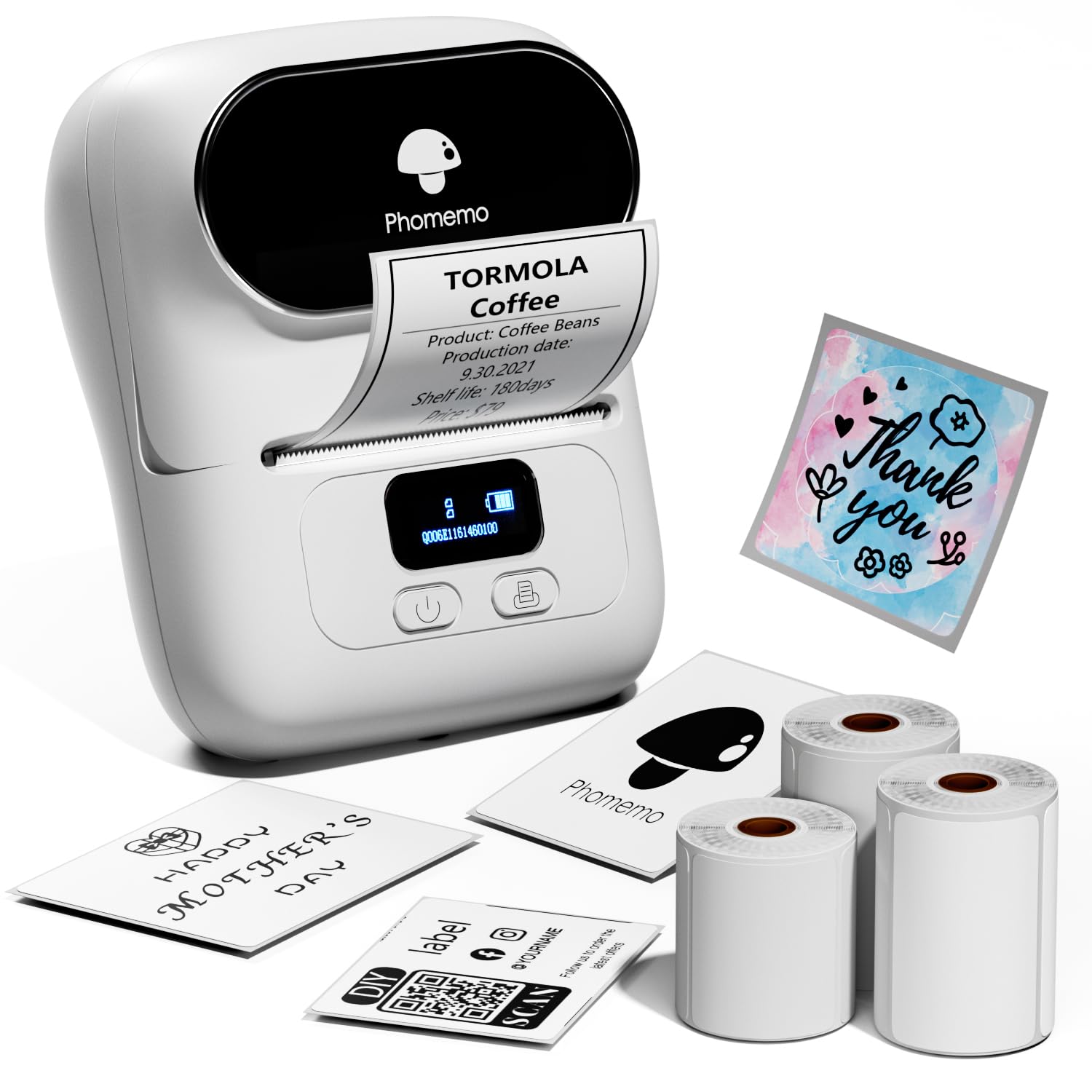
6,000+ ratings
Read Amazon ReviewsPhomemo M110
Compare the two if you want a compact Phomemo printer for small-business or household labels.
The M120 description gives clearer detail about app features and PC connectivity; the M110 may be worth considering if its stated batch-printing workflow better matches your routine.
- The M110 also supports 20–50 mm label widths and lists Bluetooth printing for Android and iOS, with a Print Master app workflow and batch printing.
- The M120 offers a 20–50 mm width range, app recognition tools, and both mobile Bluetooth and PC USB workflows.
Desktop Label Printers alternative
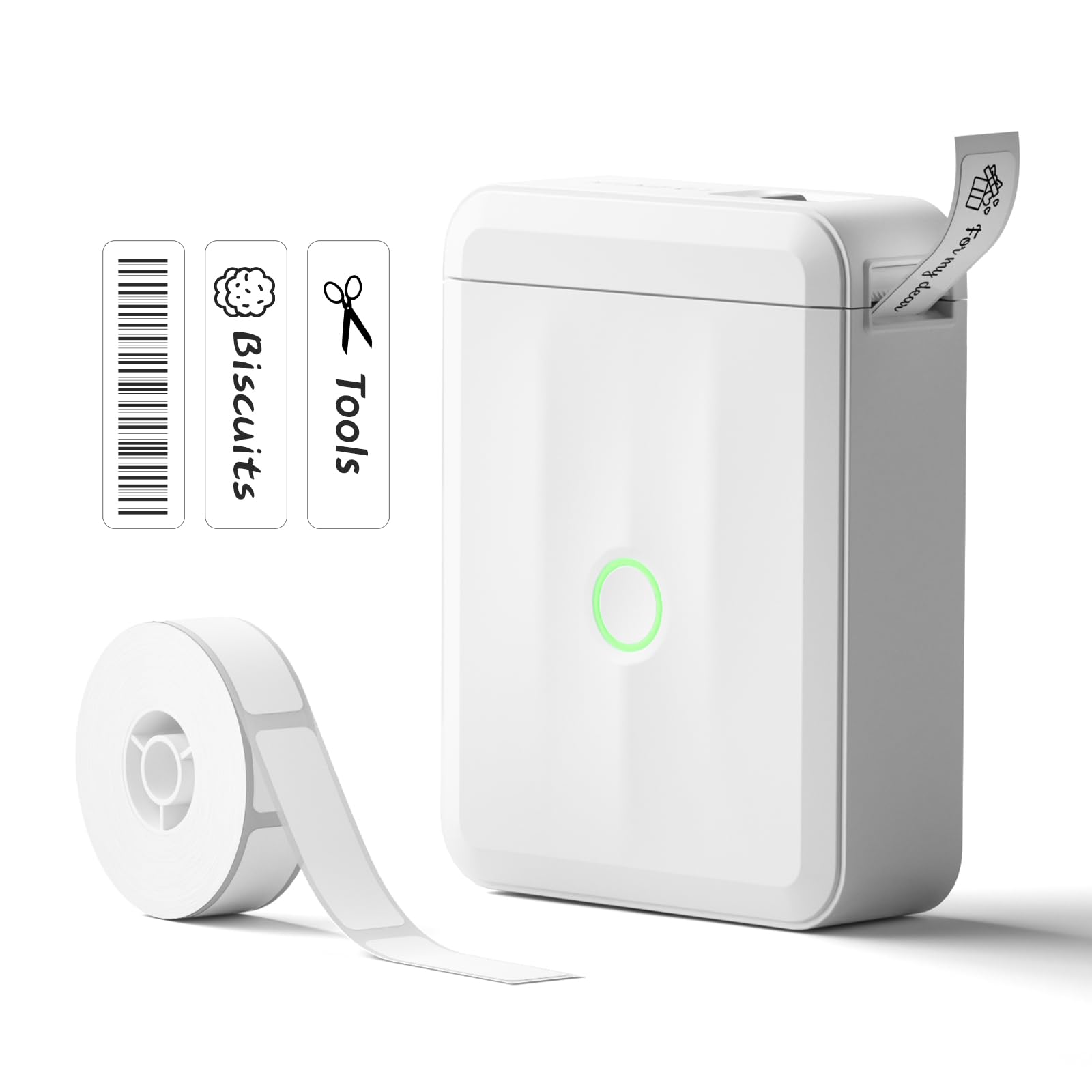
14,000+ ratings
Read Amazon ReviewsNIIMBOT D110
Choose between them based on whether computer printing matters. The M120 is the better fit if you want a stated PC connection; the D110 may suit a phone-only home or school labeling routine.
- The D110 is described for iOS and Android use, supports a range of label types and sizes, and does not work with computers.
- The M120 can connect to a PC by USB as well as to mobile devices over Bluetooth, and it supports widths from 20 to 50 mm.
Is Phomemo M120 Worth It?
The Phomemo M120 is worth considering if you want a portable thermal label printer for small labels and value app-based design tools, flexible widths, and both mobile and PC printing.
Its combination of a 20–50 mm range and multiple connection options suits home organization and many small-business labeling tasks.
Before buying, make sure the supported width fits your work and that you are comfortable printing through Print Master on mobile or Labelife over USB on a PC.
For standard 4 × 6 shipping labels, choose a printer built for that wider format instead.
Your review at a glance
1,000+ ratings
Read Amazon ReviewsPhomemo M120
A versatile compact label printer for home organizers, makers, and small businesses that want phone or computer printing and adjustable label widths.
- Portable design: weighs 200 g and is described as suitable for carrying in a pocket or backpack.
- Rechargeable printing: the supplied description gives a maximum of 3,000 labels per charge; actual use can vary by task.
- Thermal output: prints without ink or toner, with adjustable print density and speed.
- Adjustable label support: accommodates widths from 20 to 50 mm and includes a built-in sizing guide.