The JLab GO Charge Wireless Mouse Bluetooth USB Dongle Multi-Device Compact Rechargeable review centers on a practical travel-friendly mouse with silent clicks, adjustable tracking, and a choice of Bluetooth or USB dongle connection.
Its strongest appeal is combining a compact shape with the ability to switch among three devices.
GO Charge Mouse Review Summary
The quick verdict
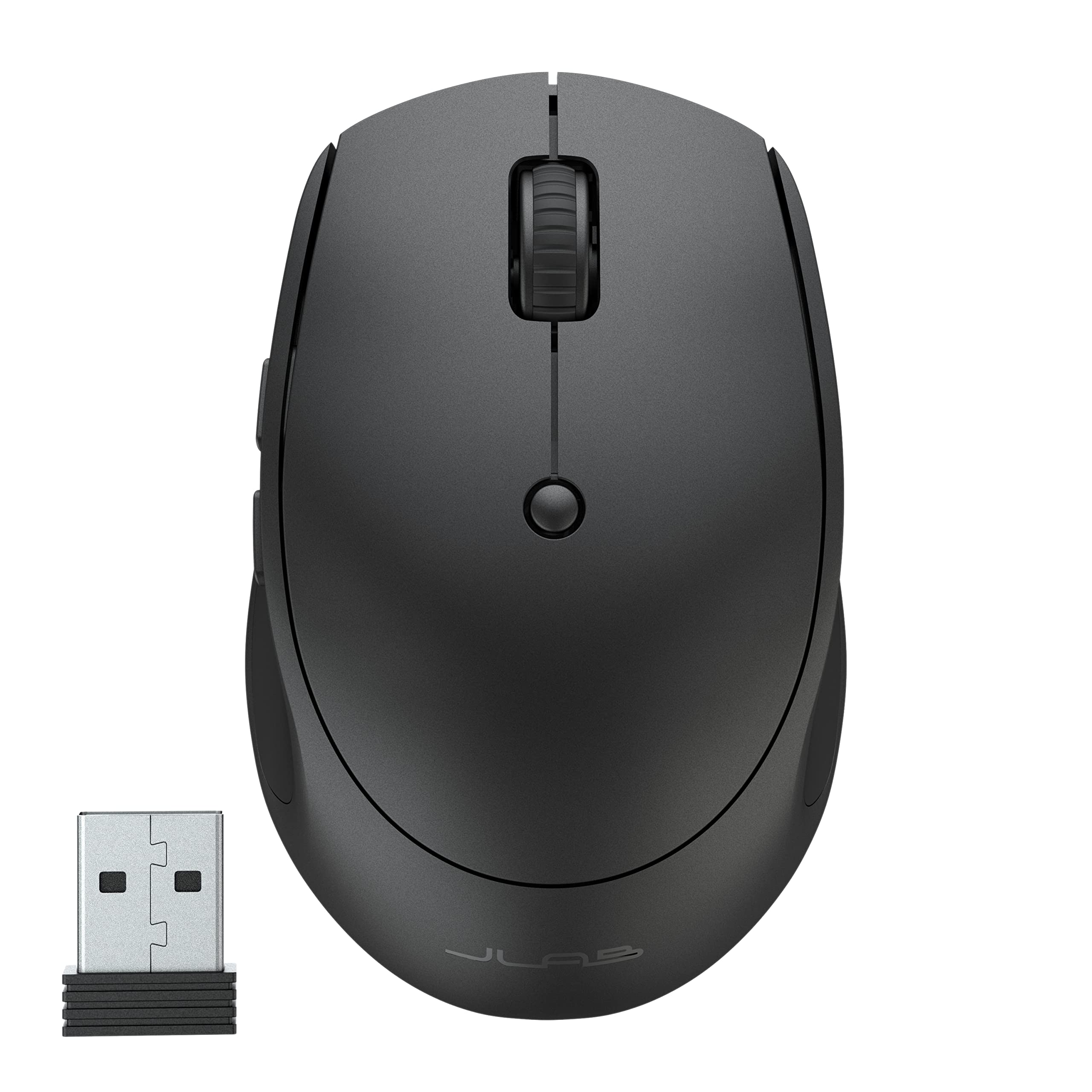
1,000+ ratings
Read Amazon ReviewsJLab GO Charge Wireless Mouse
A portable rechargeable mouse for people who switch among up to three devices and want quiet clicks and adjustable cursor speed.
- Rechargeable battery with a stated runtime of 4+ months per charge.
- Adjustable DPI tracking for changing cursor speed to suit different tasks.
- Silent click buttons designed for quieter work sessions.
- Connects to up to three devices using Bluetooth 5 or a USB wireless dongle, with device switching.

Pros
- Three-device pairing gives it a useful role for a multi-device desk or mobile setup.
- Bluetooth and USB dongle connection options provide flexibility across compatible devices.
Consider before buying
- No exact dimensions or weight are given, which makes it harder to judge fit for a small bag or hand size.
- The adjustable DPI range is not specified, so buyers who need particular sensitivity levels should confirm the available settings.
Read the full review summary
The GO Charge Mouse is designed for people who move between workstations or carry a mouse with a laptop.
It can pair with up to three devices through Bluetooth 5 or a USB wireless dongle, then switch between them, which can reduce the need to keep separate pointing devices for a computer, tablet, or phone.
Its rechargeable battery is specified to last 4+ months per charge, and the compact, lightweight design is intended to travel easily. Silent click buttons and adjustable DPI tracking suit quiet shared spaces and tasks where cursor speed matters.
The tradeoff is that the description provides no specific dimensions, weight, or DPI range, so buyers with strict fit or sensitivity requirements should check those details before choosing.
The buying factors
GO Charge Mouse Scorecard
Editorial scores reflect listed features and buyer fit; they are not laboratory measurements or customer ratings.
Multi-device flexibility
Supports pairing with up to three devices via Bluetooth 5 or a USB wireless dongle, with switching between them.
Portability
The design is described as compact, lightweight, and suitable for carrying in a bag, though exact dimensions are not provided.
Charging convenience
A stated 4+ months of battery life per charge suggests infrequent charging for typical use, though actual runtime can vary.
Cursor adjustment
Adjustable DPI tracking allows users to tune cursor speed, but the available DPI levels or range are unspecified.
Quiet-work suitability
Silent click buttons are intended for quieter work sessions and shared environments.
Platform versatility
Compatibility includes Windows, Mac/iOS, Android, and Chrome OS, covering many common personal devices.
Key Features and Specifications of GO Charge Mouse
- Rechargeable battery with a stated runtime of 4+ months per charge.
- Adjustable DPI tracking for changing cursor speed to suit different tasks.
- Silent click buttons designed for quieter work sessions.
- Connects to up to three devices using Bluetooth 5 or a USB wireless dongle, with device switching.
- Compatibility listed for Windows, Mac/iOS, Android, and Chrome OS.
- Compact, lightweight design intended for travel and portable work.
- Includes a two-year JLab warranty.
Pros and Cons of GO Charge Mouse
Pros
- Three-device pairing gives it a useful role for a multi-device desk or mobile setup.
- Bluetooth and USB dongle connection options provide flexibility across compatible devices.
- The long stated battery interval can reduce charging interruptions.
- Silent clicks and adjustable tracking address everyday comfort and control preferences.
- A two-year warranty adds a clear support period.
Consider before buying
- No exact dimensions or weight are given, which makes it harder to judge fit for a small bag or hand size.
- The adjustable DPI range is not specified, so buyers who need particular sensitivity levels should confirm the available settings.
- A compact mouse may not suit everyone for extended sessions; buyers who prefer a larger hand-filling shape should assess its size before committing.
Who Should Buy GO Charge Mouse?
Good fit
Consider the GO Charge Mouse if you routinely move between a laptop, desktop, tablet, or phone and want one mouse that can connect to as many as three devices.
Its Bluetooth and USB dongle options give you flexibility in how you set up, while the switching feature is useful when several devices share a workspace.
It also makes sense for travel and quieter work areas. The lightweight compact design is intended to slip into a bag, and silent clicks can be welcome in a shared office, library, or home where others are nearby.
The rechargeable battery’s stated 4+ month runtime is attractive if you prefer to charge accessories infrequently.
Before buying, consider how much space your hand needs and whether adjustable DPI without a published range is enough for your work. If precise sensitivity steps or a particular mouse size are essential, verify those details first.
Who should skip it
Skip it if you need a mouse with a clearly specified DPI range or exact dimensions to meet a particular workflow or ergonomic preference.
Look elsewhere if you prefer a larger, more substantial mouse for long daily sessions and are unwilling to judge a compact design in person.
How the GO Charge Mouse fits a mobile workspace
Switching between devices
The three-device pairing is the defining productivity feature. With Bluetooth 5 and a USB wireless dongle available, the mouse can serve multiple compatible devices without requiring a separate mouse for each one.
Buyers should consider which devices they plan to pair and whether their intended setup can use one of the offered connection methods.
Battery expectations on the move
A stated 4+ months per charge is a strong convenience target for a portable accessory, since frequent cable hunting can be frustrating during travel.
It is a manufacturer-provided runtime figure rather than a guarantee for every routine; usage patterns can affect how often charging is needed.
Cursor control and quiet use
Adjustable DPI lets users change cursor speed rather than settling for one tracking feel, which may help when alternating between detailed work and broad navigation.
Silent click buttons target quieter settings, though shoppers who depend on precise sensitivity steps should confirm the range available on this model.
Size and everyday comfort
JLab emphasizes a compact, lightweight shape and all-day comfort, making portability a central design priority.
Since the description does not give measurements, hand size and grip preference remain personal checks; anyone who finds compact mice tiring should compare the physical fit before relying on it for long sessions.
Alternatives to GO Charge Mouse
Only one supplied alternative closely matches the portable everyday-mouse use case.
Battery-focused alternative
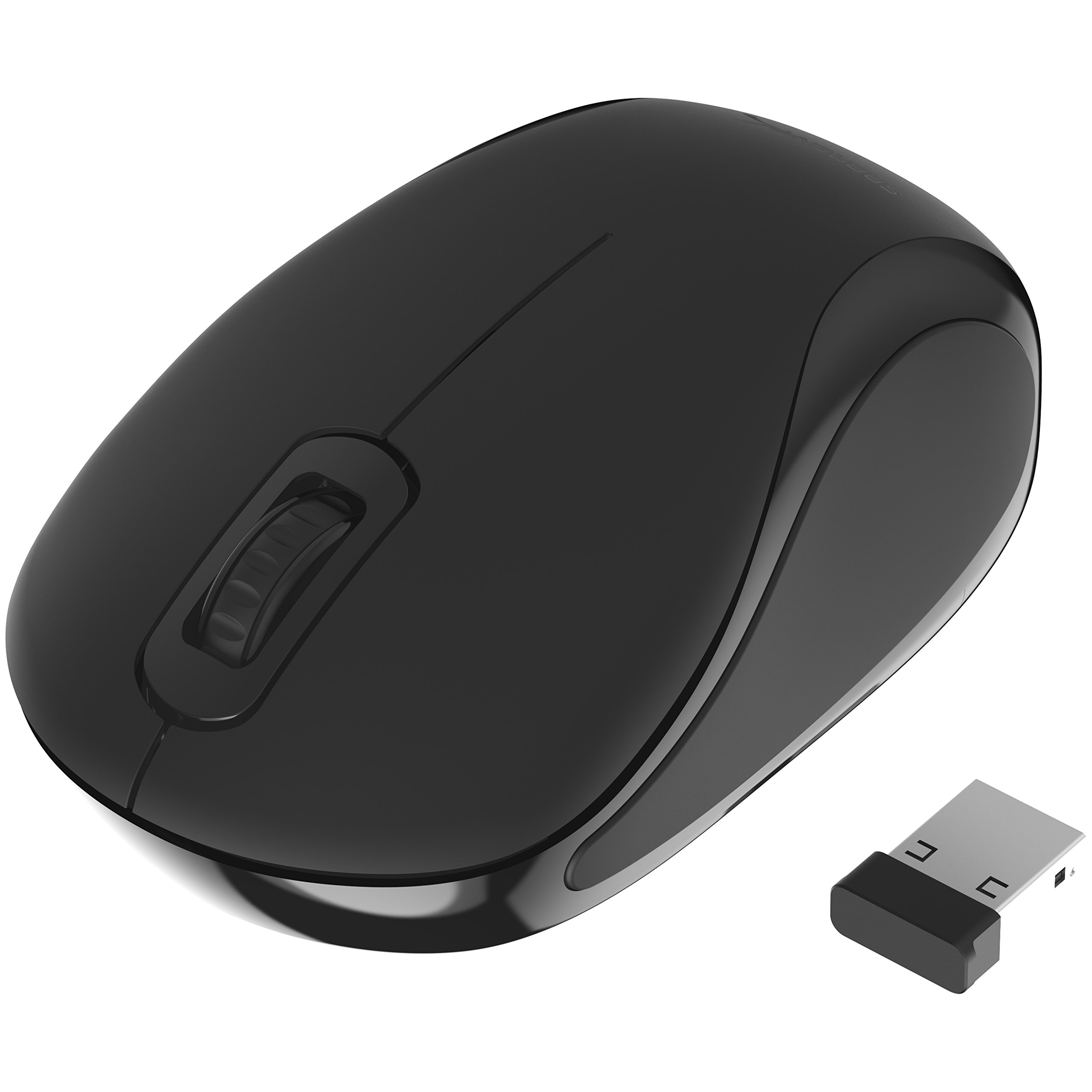
2,000+ ratings
Read Amazon ReviewsSABRENT Mini Travel Wireless Mouse
Choose the GO Charge Mouse if multi-device switching, Bluetooth connectivity, and rechargeable operation matter. The SABRENT is a simpler fit if a single receiver connection and a stated 1200 DPI sensitivity are more relevant to your setup.
- The SABRENT is a compact 2.4 GHz wireless mouse with a nano USB receiver and 1200 DPI optical tracking.
- Its supplied details list Windows and Mac OS X compatibility and battery power requiring one AAA battery.
- The GO Charge Mouse supports up to three device pairings, offers Bluetooth 5 or a USB wireless dongle, and has rechargeable power with a stated 4+ month runtime.
Is GO Charge Mouse Worth It?
The JLab GO Charge Wireless Mouse is worth considering for mobile workers and multi-device users who want a compact mouse with quiet clicks, adjustable cursor speed, and both Bluetooth and dongle connectivity.
Its stated 4+ month battery life and three-device switching make it a practical everyday option.
Its key compromise is limited fit detail: the description does not specify measurements or the DPI range.
If those details matter to comfort or precision, confirm them first; otherwise, the GO Charge Mouse offers a useful feature mix for travel and flexible desks.
Your review at a glance
1,000+ ratings
Read Amazon ReviewsJLab GO Charge Wireless Mouse
A portable rechargeable mouse for people who switch among up to three devices and want quiet clicks and adjustable cursor speed.
- Rechargeable battery with a stated runtime of 4+ months per charge.
- Adjustable DPI tracking for changing cursor speed to suit different tasks.
- Silent click buttons designed for quieter work sessions.
- Connects to up to three devices using Bluetooth 5 or a USB wireless dongle, with device switching.